Data Validation
Path Parameters and Type Hints
Section titled “Path Parameters and Type Hints”In the Python QuickStart, you briefly saw Python type hints in action. A type hint in Python is just that, a hint or a suggestion as to what type the value of a variable should be. However, you also saw that Python ignores them. Instead, the application, and the tools used to develop it, decide how the type hints should be used.
So how does FastAPI use type hints? In a REST API, you can send values to an endpoint by appending path parameters. For example, let’s say we have an endpoint to look up the current price of a cryptocurrency. Maybe it’s named /lookup. We need to tell the API which coin to lookup. The name of the coin can be appended to the endpoint like so: /lookup/bitcoin. We tell FastAPI to parse the endpoint and use the value in the last segment as coin, and pass it to the function handling the request.
This is done using the get decorator. The path parameters are indicated using syntax like that of Python f-strings, curly braces around a parameter name.
@app.get("/lookup/{coin}")The handler function decorated by the get decorator must except a parameter named coin:
@app.get("/lookup/{coin}")def lookup(coin): """ Use the coin parameter to get the value of a cryptocurrency with the CoinGecko API like in the Python QuickStart """ url = f"https://api.coingecko.com/api/v3/simple/price?vs_currencies=USD&ids={coin}&x_cg_demo_api_key={coingecko_api_key}" response = requests.get(url) if response.status_code == 200: data = response.json() price = data["bitcoin"]["usd"] return {coin: price} else: return {"error": "could not get any data"}So what about type hints? FastAPI will use the type hints to ensure the value passed to the path parameter is of a certain type. The hints are added to the parameters in the handler function
@app.get("/lookup/{coin}")def lookup(coin: str): # same as aboveIn this case, the coin parameter is expected to be a string. The str type hint tells FastAPI to ensure that the value in the path parameter is a string. If the value is not a string, FastAPI will raise an exception.
Data Validation Errors
Section titled “Data Validation Errors”In this endpoint, just about any value passed to the coin parameter will end up a string. For example, if you make a request to /lookup/123, the value of coin will be the string "123". FastAPI will cast the value based on the type hint.
Let’s take a look at a different endpoint. Take a look at this endpoint which retrieves a porfolio by its unique integer identifier.
@app.get("/portfolio/{portfolio_id}")def get_portfolio(portfolio_id: int): return {"portfolio_id": portfolio_id}If you were to test this endpoint in the interactive docs, you’ll see an interface like this:
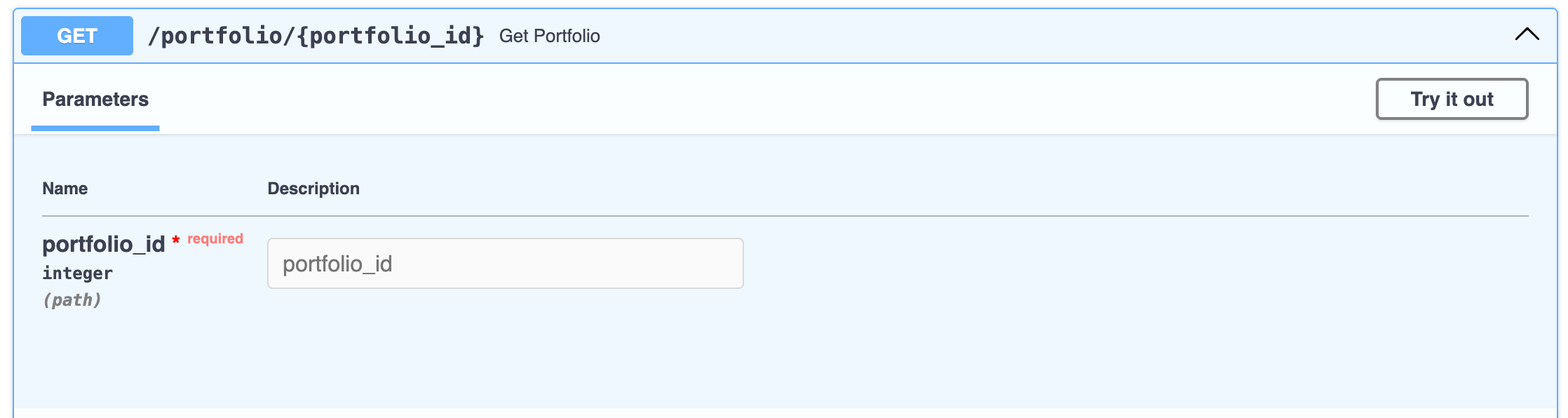
The interactive docs list the parameters to the endpoint along with the expected types. It marks the portfolio_id parameter as an integer, passed in the path, and it is required. Click the Try it out button and enter an integer value in the text box.
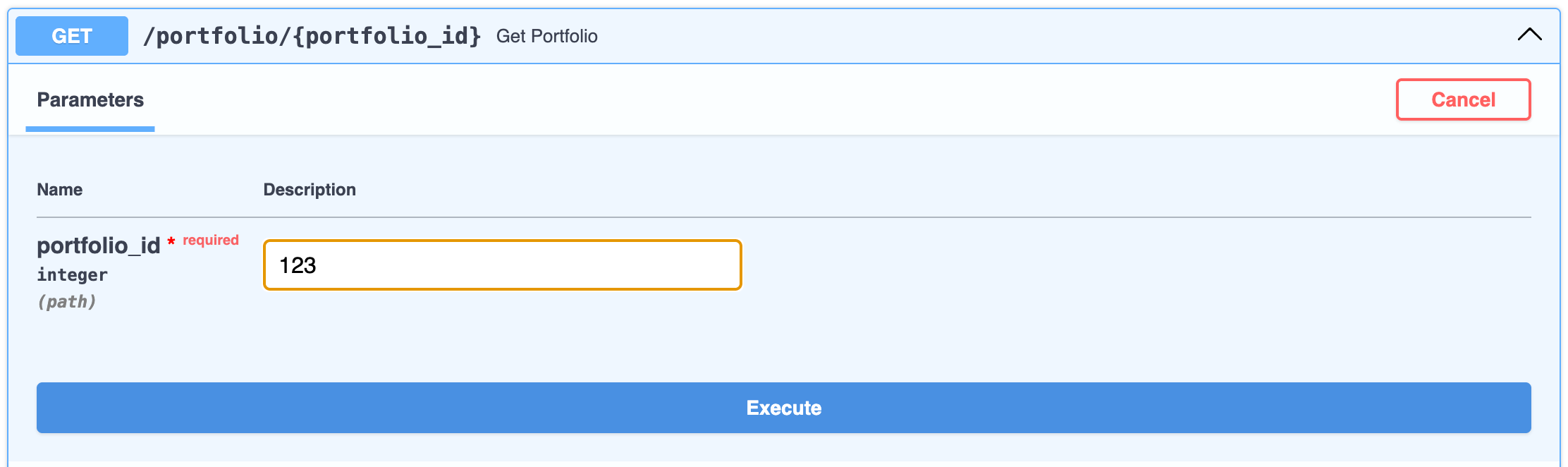
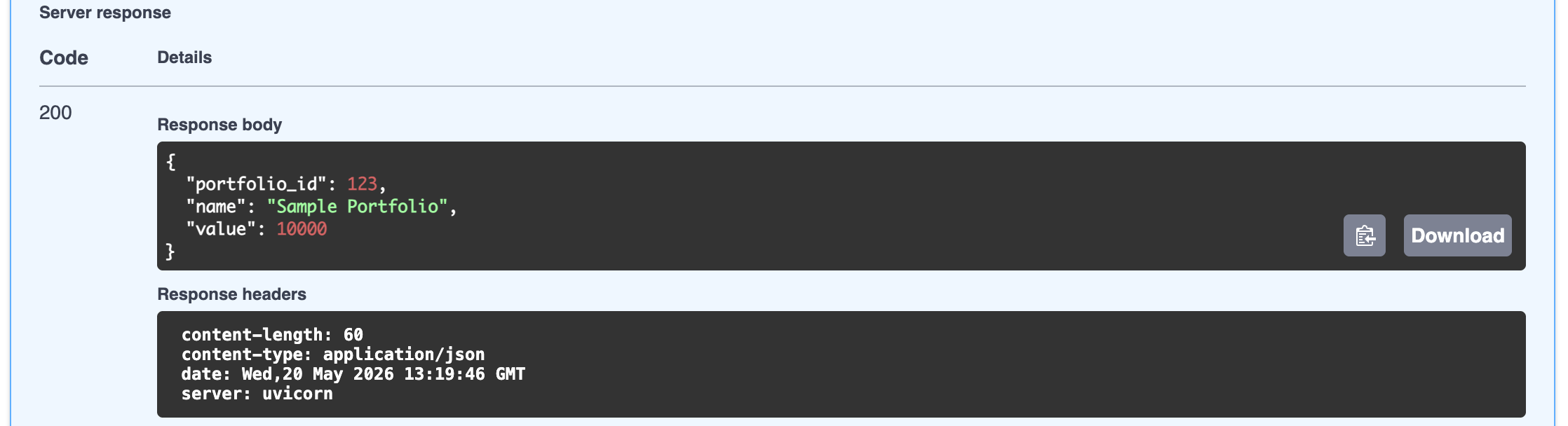
Click the Execute button and scroll down to the response. You should see a response with a status code of 200 and a body with the JSON object {"portfolio_id": 123}.
Try it again with a value that is not an integer. Scroll back up to the text box and enter a string value like bitcoin.
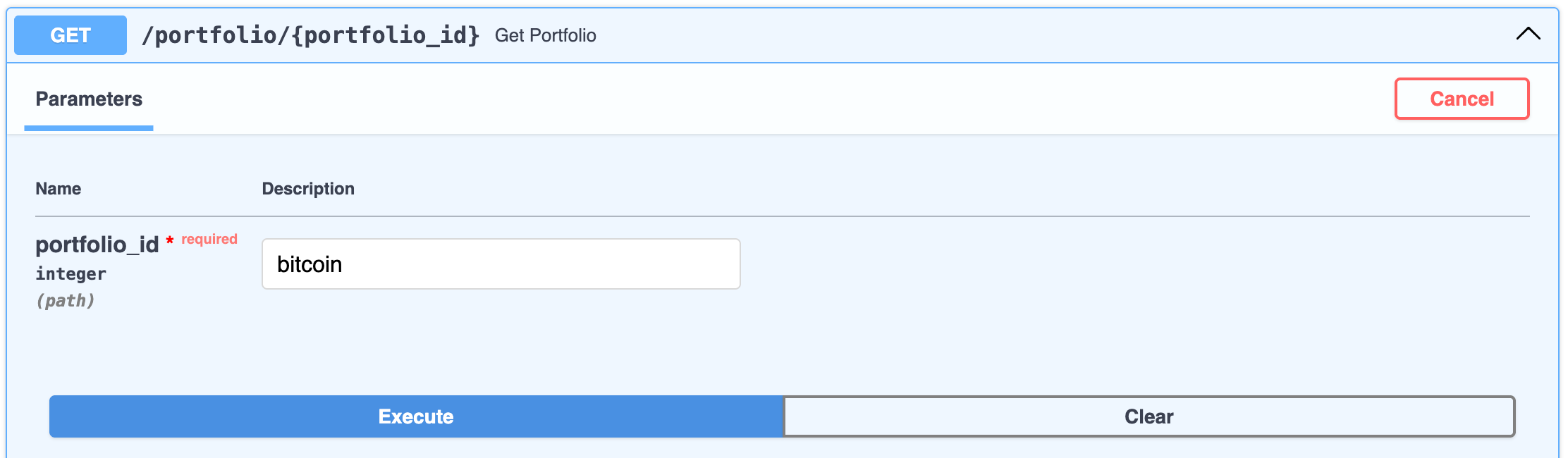
Press the Execute button.
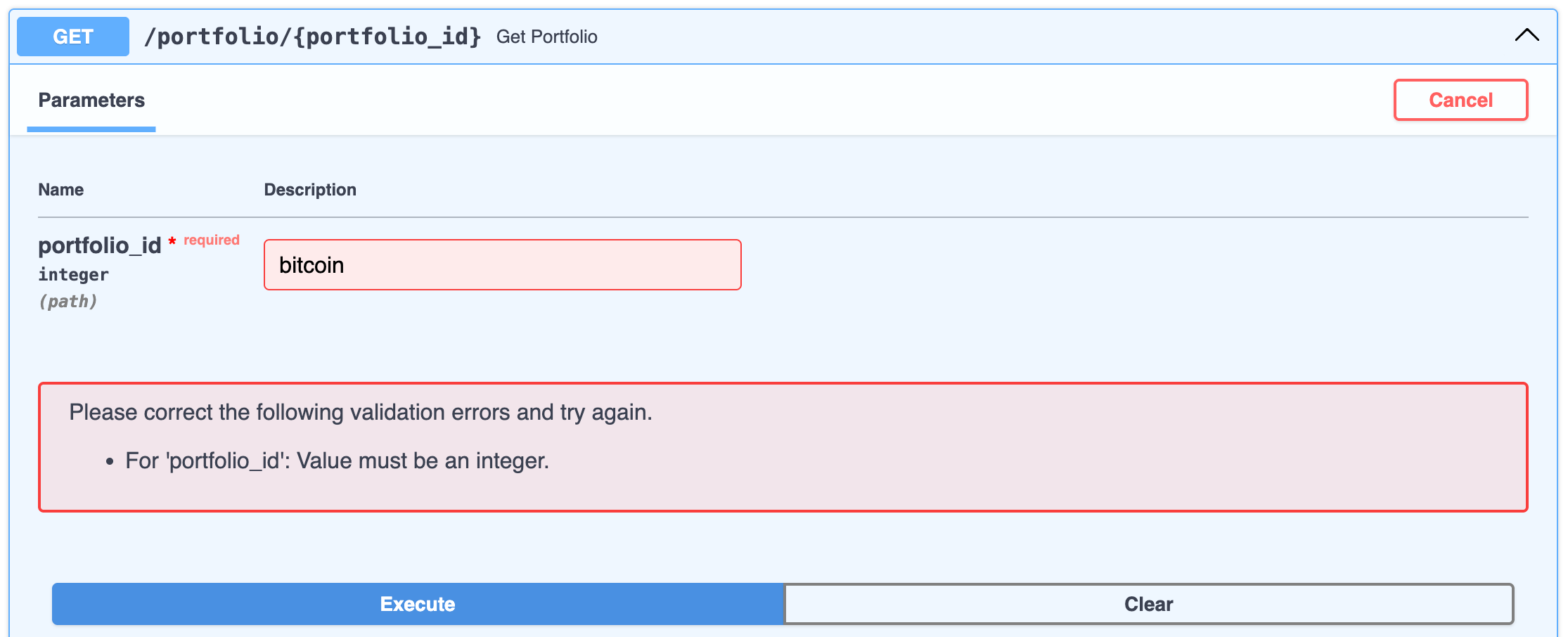
The string “bitcoin” cannot be parsed as an integer, so FastAPI raises an exception. The interactive docs indicate the error by shading the textbox in red and displaying an error message.
Data Validation Errors in REST Client
Section titled “Data Validation Errors in REST Client”Unfortunately, this is as far as you can go with the interactive docs. In order to get more details about the error, you need to use the REST Client extension or another HTTP client. Add the following request to the requests.http file in the root of your project.
GET http://127.0.0.1:8000/portfolio/bitcoinClick the Send Request link that appears above the line you just wrote. The response will open in a new pane.
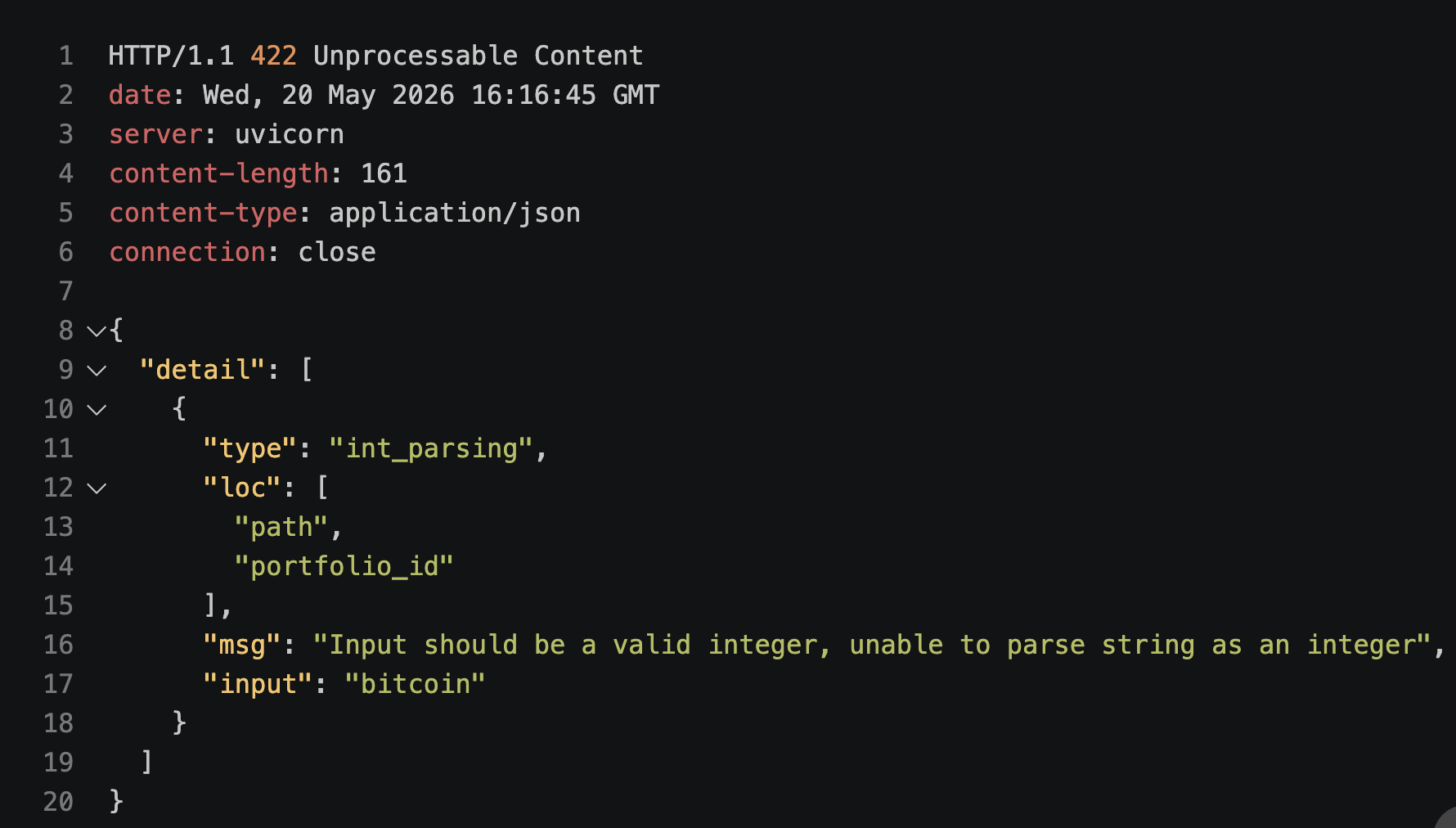
Here you can see the status code of the response is 422. As the string “bitcoin” cannot be parsed as an integer, it is an “Unprocessable Entity”. The body of the response contains JSON with more details about the error. You can see that the offending variable is portfolio_id and that it is a path parameter. The value causing the problem is “bitcoin”. And the msg is the description of the error.
This is an example of why you should only use the interactive docs for quick testing and exploration. To get more details about errors, you need to use a tool like the REST Client extension.