Handling Complex Data
Not all data can be represented as singular values in a URL. Take the cryptocurrency transaction from the Python Quickstart. In that example, we used several simple values to represent the transaction.
coinamountbuytimestampnotes
Let’s say we want an endpoint that creates a new transaction, we technically could pass all of the values as path parameters. The result would be a very long URL. For example:
GET /transactions/create/bitcoin/0.5/true/2021-01-01T00:00:00Z/first%20transaction
This also causes problem with optional values. In the original example, the notes field is optional. If we wanted to create a transaction without notes, we would have to create a new endpoint that doesn’t expect the notes parameter.
Pydantic Models
Section titled “Pydantic Models”In the Python Quickstart, we used a class to represent the values that make up a transaction. In FastAPI, we use Pydantic models to represent complex data. Pydantic is a Python package that provides runtime data validation using Python type annotations.
Pydantic is a dependency of FastAPI and is installed witht the fastapi package. You can also install it separately with pip install pydantic.
A Pydantic model is a subclass of the BaseModel class from the pydantic package. We can define a Pydantic model for our transaction like this:
from typing import Optional
from pydantic import BaseModel
class CryptocurrencyTransaction(BaseModel):    coin: str    amount: float    buy: bool    timestamp: str    notes: Optional[str] = None
The fields of the model are class attributes with type annotations. The Optional type from the typing module indicates the notes field is not required and may be omitted. However, when a value is provided, it must be a string. The class also sets a default value for the notes field to None.
Using Pydantic Models in FastAPI
Section titled “Using Pydantic Models in FastAPI”Instead of an endpoint that accepts a long list of path parameters, FastAPI allows us to use a Pydantic model. We can define an endpoint that accepts a CryptocurrencyTransaction in the request body list this:
@app.post("/transaction")def create_transaction(transaction: CryptocurrencyTransaction): buy_sell = "bought" if transaction.buy else "sold" return { "message": f"Created transaction for {transaction.amount} {transaction.coin}: {buy_sell} at {transaction.timestamp.strftime('%Y-%m-%d %H:%M:%S')}" }Notice this time the handler function is decorated with the post decorator and the path accepts no parameters. This is because the data to create a new transaction will be sent in the body of the request as a JSON object. This JSON object will mirror the structure of the CryptocurrencyTransaction class. FastAPI will parse the JSON object, use it to create an instance of CryptocurrencyTransacation, invoke the create_transaction function, and pass the instance as the transaction parameter.
Let’s see how this works with the interactive docs. If not started, launch the development server with fastapi dev. In a browser, go to http://127.0.0.1:8000/docs. Expand the endpoint for POST /transaction.
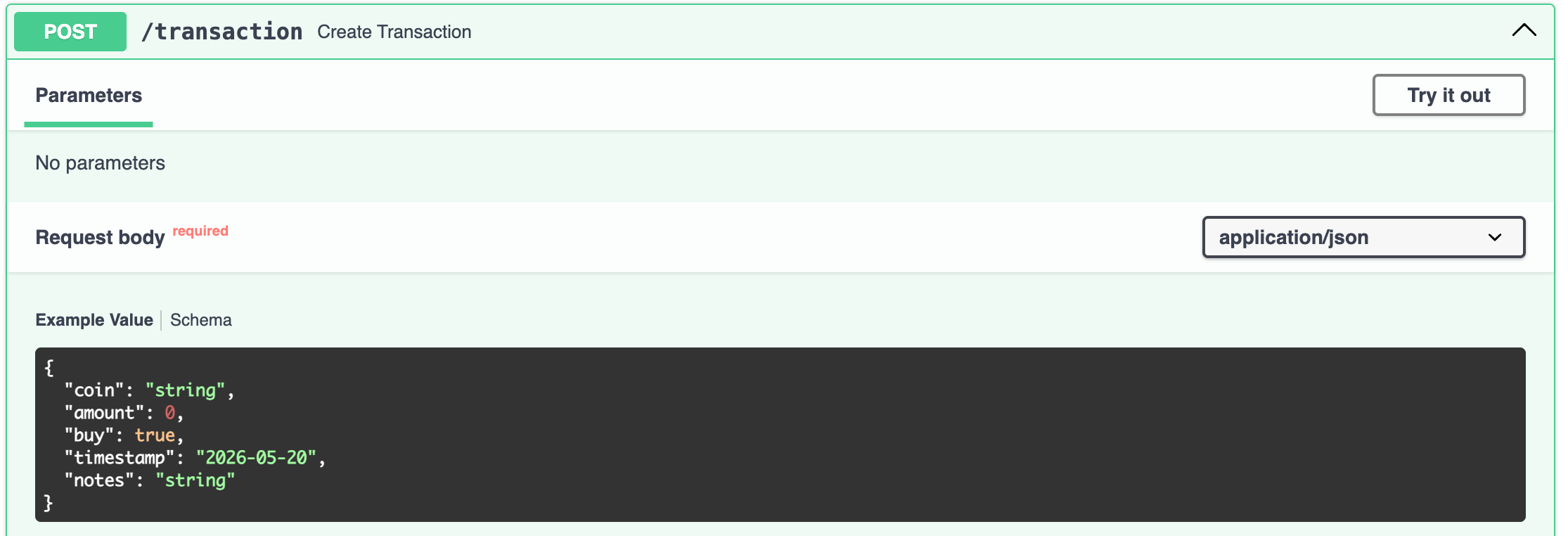
Again, the data to /transaction is sent, as JSON, through the body of the request, not path parameters. The interactive docs give you a JSON object with the same structure as the CryptocurrencyTransaction model. This is the JSON object that FastAPI will parse to create and instance of CryptocurrencyTransaction to be passed to the `create_transaction1 function. Click the Try it out button.
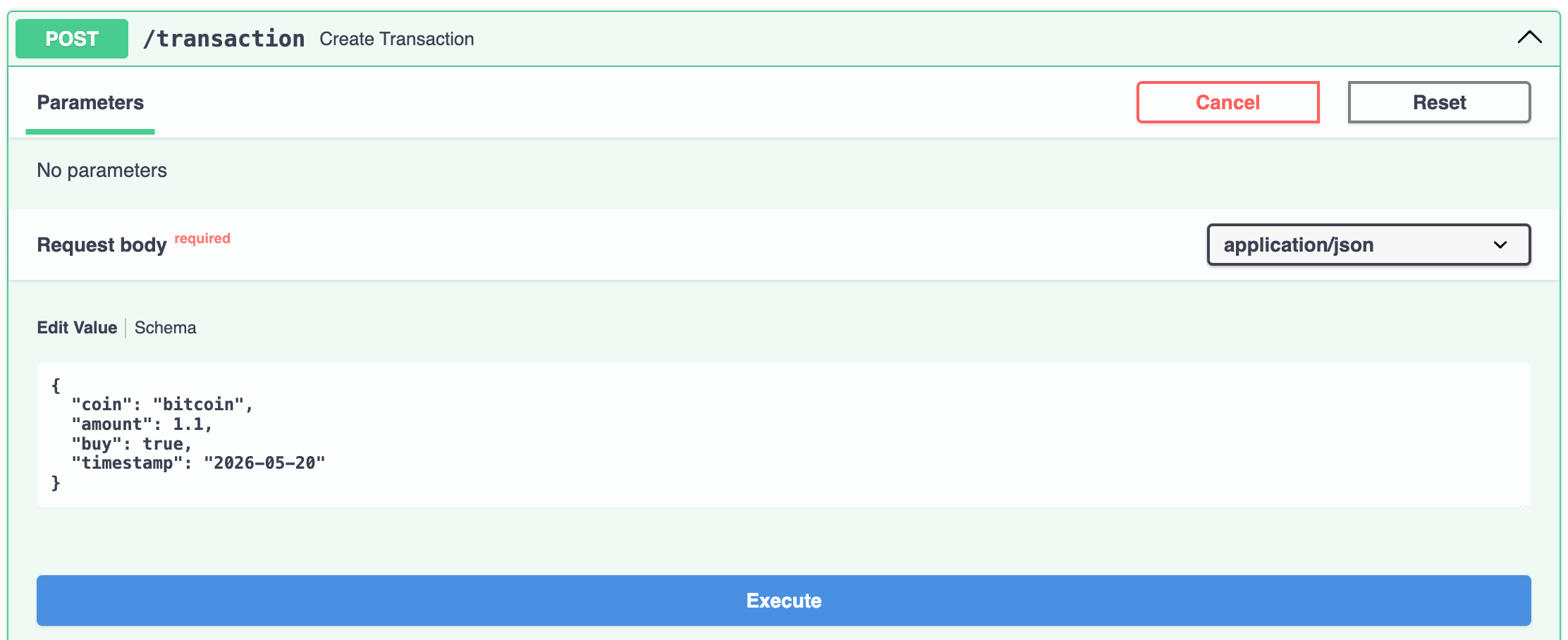
Now you can edit the JSON object. Here I’ve changed the coin field to bitcoin and the amount field to 1.1. Notice also since this is JSON, true is lowercase. Also the timestamp field is a string in “YYYY-MM-DD” format. And we can omit the notes field since it’s optional. Click the Execute button to send the request.
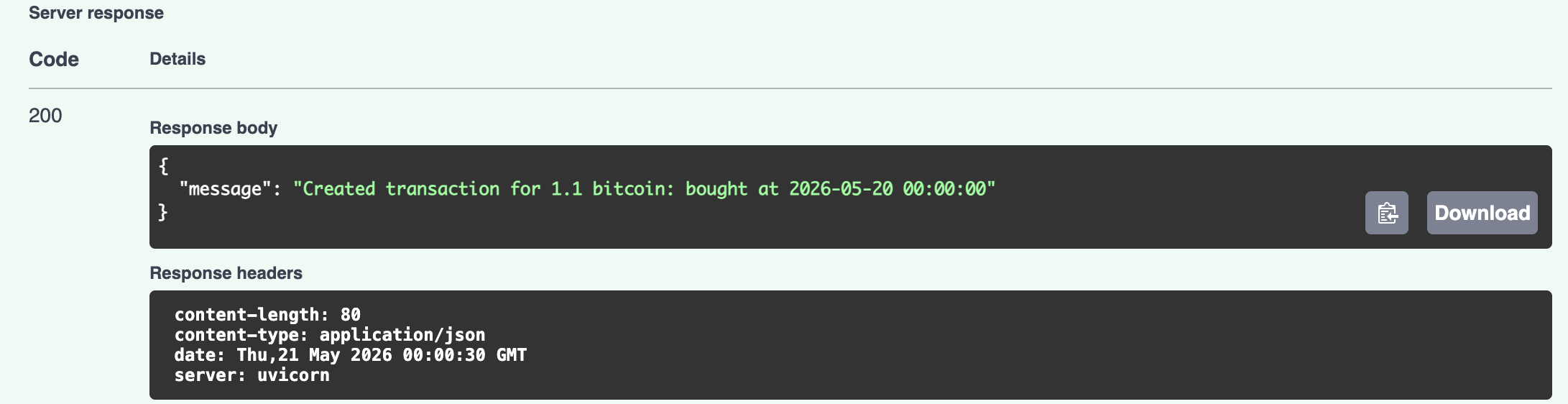
The response has a 200 status code and the body is a JSON object with a message contains data about the transaction.
Returning a Pydantic Model
Section titled “Returning a Pydantic Model”Pydantic models can also be used to return complex data in the response. For example, we could have an endpoint that returns a list of transaction history. Tell FastAPI to that the response will return a List of CryptocurrencyTransaction objects with the response_model keyword argument:
from typing import List
@app.get("/transactions/history", response_model=List[CryptocurrencyTransaction])def get_transaction_history():    return [        CryptocurrencyTransaction(            coin="bitcoin",            amount=1.5,            buy=True,            timestamp=date(2026, 1, 1)        ),        CryptocurrencyTransaction(            coin="bitcoin",            amount=1.0,            buy=False,            timestamp=date(2026, 2, 1)        )    ]
The List type from the typing module found in the Python standard library indicates the response will be a list of CryptocurrencyTransaction objects. The get_transaction_history function returns a list of two CryptocurrencyTransaction objects. These are created in the function directly, but later will be retrieved from a database. FastAPI will convert each CryptocurrencyTransaction object into a JSON object and return all of the JSON objects in a JSON array in the response body.
Let’s try it out in the interactive docs.

The endpoint has no parameters so click the Try it out button and then the Execute button.
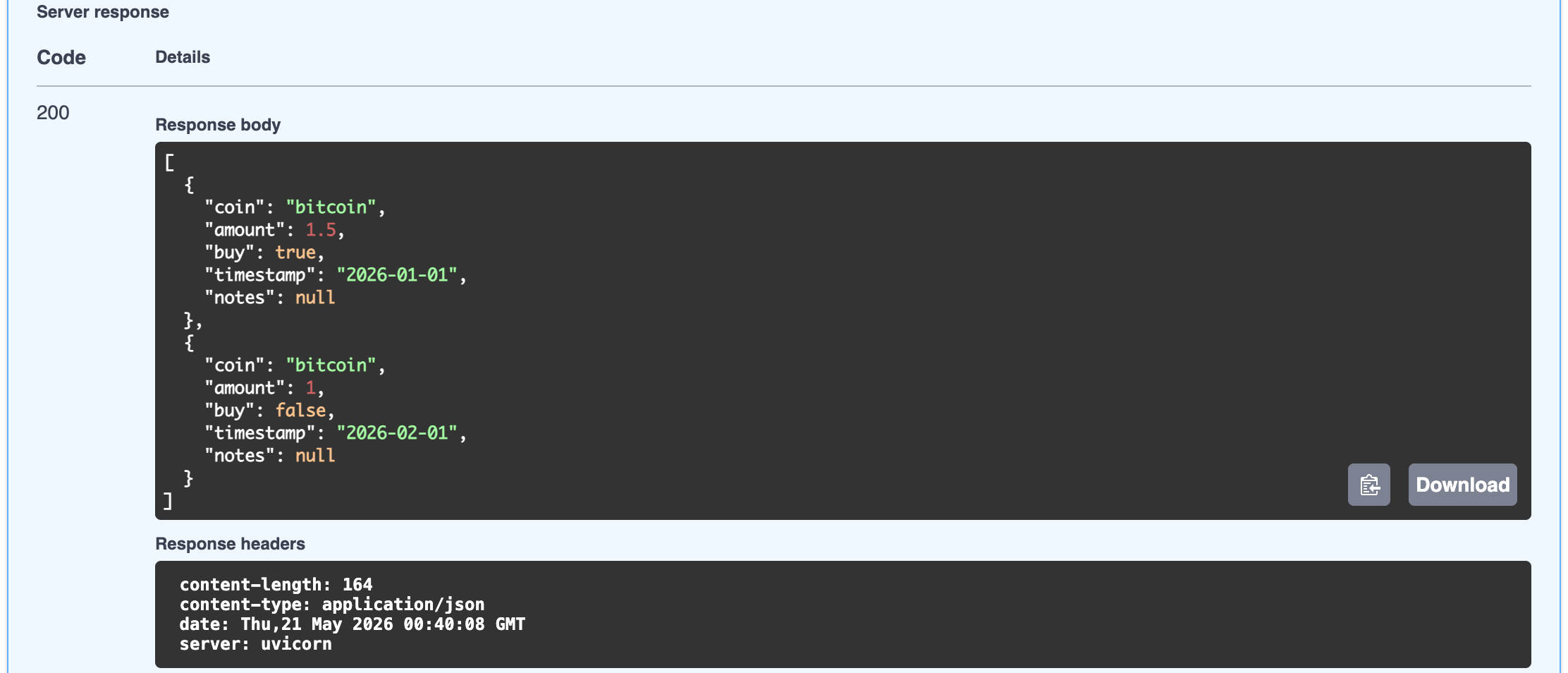
As expected the response body shows a JSON array of JSON objects. Each JSON object has the same structure as the CryptocurrencyTransaction model.